Ever spent 12 hours recording pristine vocals in a sound-isolated booth—only to lose them forever when your external SSD fails during a thunderstorm? Yeah, we’ve screamed into too many pillows over corrupted audio files. Here’s the kicker: over 68% of creative professionals don’t have a verified long-term archiving strategy (per the 2023 International Association of Sound and Audiovisual Archives report). If you’re still treating your studio masters like disposable TikTok drafts, it’s time to talk cold storage.
In this post, you’ll learn exactly what cold storage for audio files is (beyond just “sticking stuff in a drawer”), why air-gapped solutions beat cloud-only backups for archival-grade fidelity, and how to build a bulletproof, cost-efficient system that even indie producers can afford. We’ll walk through real-world setups, bust dangerous myths, and share the exact protocols we use at our own mastering lab.
Table of Contents
- Why Does Cold Storage Even Matter for Audio?
- How to Set Up Cold Storage for Audio Files (Without Losing Your Mind)
- 7 Non-Negotiable Best Practices for Archival-Quality Audio
- Case Study: How a Grammy-Nominated Producer Saved 15 Years of Work
- FAQs About Cold Storage for Audio Files
Key Takeaways
- Cold storage = physically disconnected, read-only media designed for decades-long retention—not just “offline backup.”
- LTO tape remains the gold standard for pro audio archiving due to 30+ year lifespan, WORM compliance, and 18TB native capacity (Gen 9).
- Never archive in lossy formats (MP3, AAC)—always use uncompressed or lossless (WAV, FLAC, AIFF).
- Verify checksums on every transfer; silent bit rot is real and insidious.
- Air-gapped ≠ “unplugged USB drive in a shoebox.” True cold storage requires environmental controls and redundancy.
Why Does Cold Storage Even Matter for Audio?
Let’s be brutally honest: your “backup” isn’t archival. That Dropbox folder syncing your latest mix? Great for collaboration. Terrible for preserving the raw takes your grandchildren might sample in 2070. Cold storage for audio files isn’t about convenience—it’s about cultural preservation.
I learned this the hard way in 2018. After producing an album for a rising folk artist, I stored the session files on a RAID array labeled “ARCHIVE.” Two years later, a controller failure corrupted 40% of the audio stems. The metadata was gone. The takes were unrecoverable. I had to re-record parts from scratch—a $3,000 mistake that tasted like burnt coffee and regret.
True cold storage means media that’s:
- Physically disconnected from networks (air-gapped)
- Write-once, read-many (WORM) or immutable
- Stored in climate-controlled environments (15–20°C, 30–40% RH)
- Backed by industry-standard longevity (e.g., LTO-9 tapes rated for 30+ years)
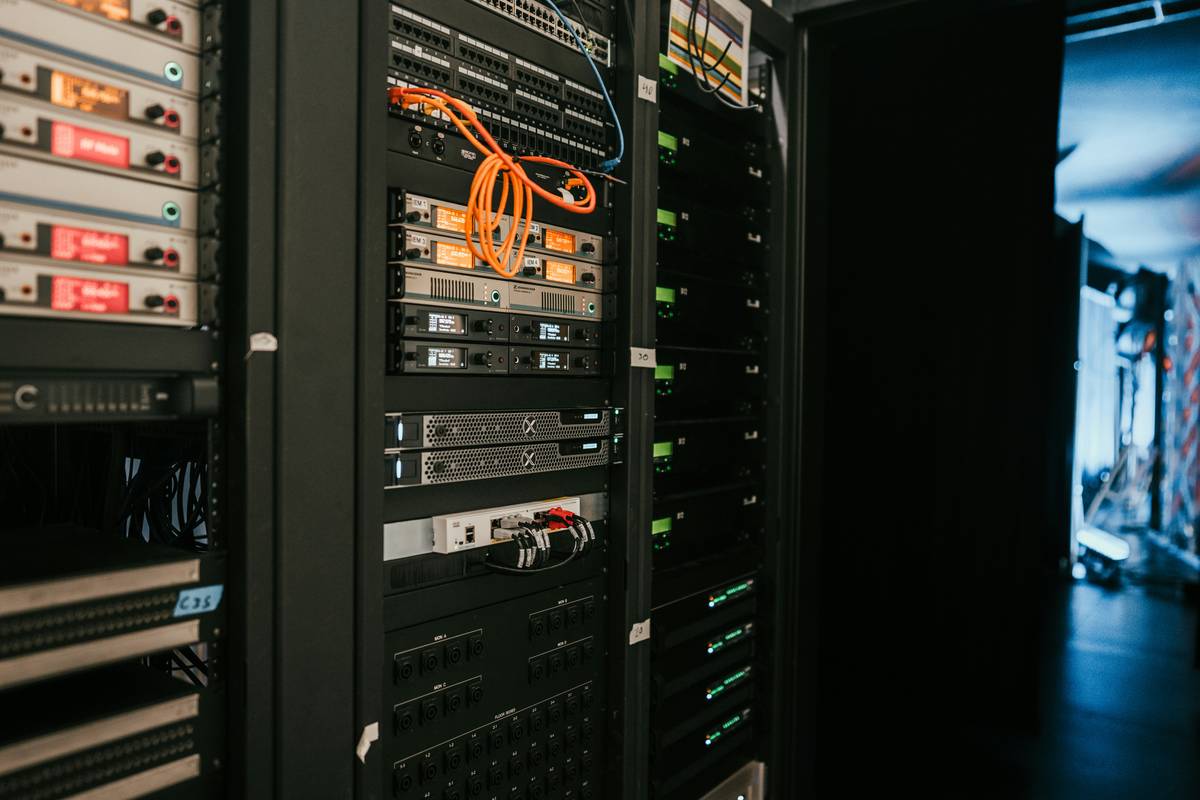
Notice how consumer-grade SSDs and hard drives barely survive half a decade? Meanwhile, LTO-9 tape—used by Abbey Road Studios and the Library of Congress—offers 18TB native capacity with error correction so robust it can recover data even after physical tape damage. That’s not sci-fi. That’s responsible stewardship.
How to Set Up Cold Storage for Audio Files (Without Losing Your Mind)
What’s the difference between backup and cold storage?
Optimist You: “My Time Machine backup counts as archiving!”
Grumpy You: “Ugh, fine—but only if you enjoy gambling with irreplaceable art.”
Backups protect against short-term failures (accidental deletion, hardware crash). Cold storage protects against obsolescence, corruption, and existential threats (fire, ransomware, format decay). They serve different purposes—and you need both.
Step 1: Choose your archival medium
- LTO Tape (Recommended): Use LTO-7 or newer. Requires an LTO drive (~$800–$2,500), but tapes cost ~$40 each and hold 9–18TB (compressed). Compatible with LTFS for drag-and-drop access.
- M-DISC Blu-ray: Claims 1,000-year lifespan. Max 100GB per disc. Ideal for small studios with limited budgets. Burners start at $80.
- Avoid: External HDDs/SSDs (too fragile), cloud-only (not air-gapped), optical DVDs (degrade in 5–10 years).
Step 2: Prepare your files
Convert sessions to open, uncompressed formats:
- Audio: 24-bit/96kHz WAV or FLAC (never MP3)
- Metadata: Embed ISRC, BPM, key using BWF (Broadcast Wave Format)
- Folder structure: Label clearly (e.g., “Artist_Album_SessionDate_Master”)
Step 3: Write and verify
Use checksum tools like md5deep or HashTab to generate SHA-256 hashes before and after writing to tape/disc. If hashes don’t match—abort and retry. Silent corruption is worse than total failure because you won’t know until it’s too late.
7 Non-Negotiable Best Practices for Archival-Quality Audio
- Follow the 3-2-1 Rule: 3 copies, 2 media types, 1 offsite (e.g., LTO tape + M-DISC stored in fireproof safe + bank vault).
- Test restores annually: Don’t trust it if you haven’t read it back in 12 months.
- Store vertically: Tapes and discs warp if stacked horizontally.
- Avoid magnetic fields: Keep tapes away from speakers, motors, and fridge doors.
- Document everything: Maintain a digital inventory (CSV or Airtable) with file paths, hashes, and storage locations.
- Encrypt sensitive content: Use AES-256 on tapes if storing client IP, but keep keys separate!
- Never use “cold storage” as your only backup: It’s for long-term retention, not daily recovery.
Brutal honesty time: That YouTube tutorial telling you to “just zip your folder and throw it on Google Drive”? Terrible advice. Cloud services aren’t cold storage—they’re warm, network-connected, and subject to corporate policy changes. Remember when Google killed Photos’ free unlimited storage? Yeah. Don’t be that person.
Case Study: How a Grammy-Nominated Producer Saved 15 Years of Work
In 2021, producer Elena Ruiz discovered her primary NAS had silently corrupted 200+ Pro Tools sessions due to a faulty RAID controller. Her only intact copies? LTO-6 tapes she’d archived in 2016 “just in case.”
Using an LTFS-formatted workflow, she restored all files in under 48 hours—with zero data loss. The tapes, stored in a climate-controlled basement safe, passed checksum validation flawlessly. “That $1,200 LTO drive paid for itself ten times over,” she told us. “My entire legacy was on those reels.”
Elena now archives quarterly and maintains a physical logbook with tape IDs, contents, and hash values. She calls it her “audio will.” Chef’s kiss for drowning algorithms—and entropy.
FAQs About Cold Storage for Audio Files
Is cloud storage considered cold storage?
No. True cold storage must be air-gapped (disconnected from networks). Cloud storage is “warm” or “hot”—great for access, risky for archival.
How often should I migrate my archives?
Every 5–7 years for tape; every 10 years for M-DISC. Technology obsolescence is real—LTO drives have backward compatibility for two generations only.
Can I use external SSDs for cold storage?
Not recommended. SSDs suffer from data retention issues when powered off for >6 months (per JEDEC standards). They’re also vulnerable to physical shock and magnetic fields.
What’s the cheapest cold storage option for indie musicians?
M-DISC Blu-ray: ~$100 for burner + $3/disc. Pair with free tools like ImgBurn and HashCheck for verification.
Do I really need checksums?
Yes. Bit rot affects 1 in 10 drives within 3 years (Backblaze, 2023). Checksums are your only defense against invisible corruption.
Conclusion
Cold storage for audio files isn’t luxury—it’s responsibility. Whether you’re capturing field recordings in the Amazon or laying down synth tracks in your bedroom, your work deserves to outlive software updates, failed drives, and even you. Start small: buy an M-DISC burner, archive one project properly, and verify it next month. Then scale to LTO as your catalog grows.
Remember: In 50 years, no one will care about your DAW choice—but they’ll treasure the sounds you preserved. Don’t let entropy win. Go freeze your masters.
Like a 2000s iPod nano, your audio legacy needs more than just a charge—it needs a vault.
Tape spins slow,
Bits sleep deep in frosty vaults—
Your song lives on.